Parimatch
Casino App
Canada
iOS & Android Download Guide
Parimatch is NOT in Google Play or the App Store in Canada.
Android: Official APK only · iOS: Safari only · Ontario: Blocked
If you want to play mobile casino games on the go in Canada, finding the right software can feel like walking
through a minefield. Between geo-restrictions, confusing app store policies,
and fake download links, it is easy to make a mistake that could compromise
your phone’s security.
I’ve spent the last four years testing mobile betting apps for the Canadian
market. For this guide, I personally downloaded the Parimatch APK on an
Android device and tested the HTML5 browser version on an iPhone.
Android
Official APK
iOS
Safari / PWA
$10 CAD
Min deposit mobile
Ontario
Blocked
Tested and Reviewed by Ryan Mercer, Mobile iGaming Tech Specialist. 4+ years testing mobile betting apps for Canadian market. I test APK files, reverse-engineer mobile T&Cs, and verify SSL encryptions so your phone—and your bankroll—stay safe.
Disclaimer: We may earn a commission when you register or deposit through links on this page at no extra cost to you. We only recommend downloading software from official sources. This does not affect our ratings or safety guidance. Gambling involves financial risk. Play responsibly. 19+ in most Canadian provinces; 18+ in AB, MB, and QC.
Because Parimatch operates globally under Master Gaming License #5536/JAZ from Curaçao eGaming, you will not find it easily in your local app store.
That does not automatically mean the mobile product is unsafe, but it does mean
you need to know where the official download comes from, what your device is
warning you about, and how to avoid fake APK files.
Below is the exact, step-by-step process to get the Parimatch casino app or mobile site running safely on your device without getting scammed.
Is There a Parimatch App in Canada?
Currently, there is no official Parimatch app in the Canadian Google Play Store or Apple App Store. However, Android users may download the APK directly from the official Parimatch website, and iOS users can play through the mobile-optimized HTML5 browser version.
That is the clean answer.
The more important answer is this: do not trust random “Parimatch app download” pages unless they come from the official operator source. Mobile casino searches are full of fake download buttons, cloned APK files, phishing redirects, and third-party mirror sites trying to steal player data.
For Canadian players, the safest setup is:
- Android: official APK only from the official Parimatch site;
- iPhone/iPad: Safari browser or Home Screen shortcut;
- Ontario: do not attempt access;
- desktop-to-mobile consistency: use the same verified account details;
- payment safety: use methods in your own legal name.
Why Is the Parimatch App Not in the Play Store?
Google Play restricts real-money gambling apps in Canada unless they meet specific licensing, regional, and compliance requirements. Because Parimatch is an offshore platform serving grey-market players outside Ontario, its Android app is not normally listed in the Canadian Google Play Store.
This is a policy issue, not automatically a software safety issue.
The difference matters.
An APK outside the Play Store can be legitimate if it comes directly from the official operator. But an APK from a third-party website can be dangerous because Android package files can be modified before installation.
That is why source control is everything.
Can I Play Parimatch in Ontario on Mobile?
No. Players physically located in Ontario cannot use Parimatch on mobile.
Parimatch is not licensed by the Alcohol and Gaming Commission of Ontario (AGCO), and it is not registered with iGaming Ontario. The restriction applies whether you are using:
- Android app;
- Android browser;
- iPhone Safari;
- iPad browser;
- mobile data;
- Wi-Fi;
- desktop site.
If you are in Ontario, do not use a VPN to bypass the block. Your location, payment method, and KYC documents can still expose the mismatch when you try to withdraw.
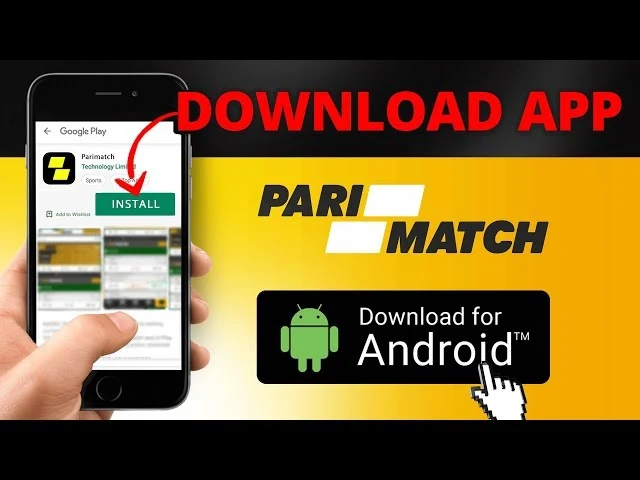
How to Download Parimatch APK on Android
Android OS is flexible, which means you can install apps from outside the Play Store. That flexibility is useful, but it also creates risk.
Here is the safe process for installing the official Parimatch APK on Android.
Open your mobile browser
Navigate to the official Parimatch Canada website.
Locate the Mobile App menu
Scroll to the footer or open the main sidebar menu and tap “App for Android.”
Download the file
Tap the download button to save the official Parimatch.apk file to your device.
Open the file
Go to your phone’s “Downloads” folder and tap the APK file to begin installation.
Confirm installation
Follow the on-screen prompts to install the app and launch it from your home screen.
Log in carefully
Use your real account details and avoid VPN conflicts.
Verify before depositing
Make sure your profile, payment method, and location are consistent before risking money.
Why Does My Phone Block the Parimatch APK?
When you tap the APK file, your phone will likely show a warning blocking the installation.
Do not panic.
By default, Android blocks software from outside the Play Store. To install an APK, Android users must enable the “Install unknown apps” permission for the browser or file manager being used.
The usual process is:
- Tap Settings on the warning prompt.
- Find Install unknown apps.
- Select the browser you used for the download.
- Toggle Allow from this source.
- Return to the APK file and continue installation.
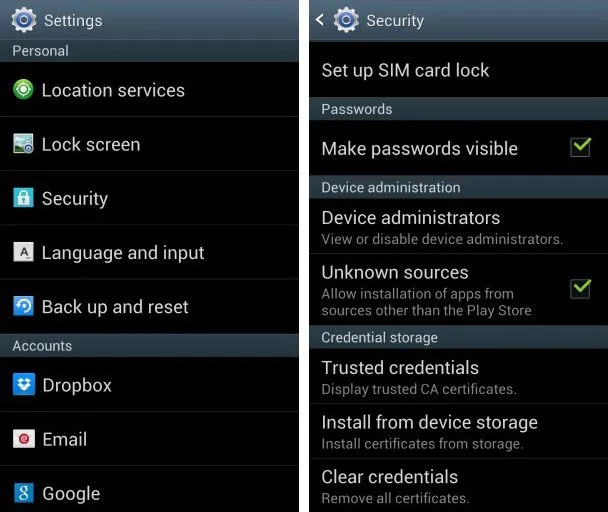
This Android warning does not mean Parimatch is automatically malware. It means Android is reminding you that you are installing software outside the Play Store safety pipeline.
The real question is where the file came from.
Is Parimatch APK Safe to Install?
Yes, but only if you download it directly from the official Parimatch website.
The official site should use SSL/TLS encryption, meaning your browser connection is encrypted when downloading or logging in. That helps protect data in transit, but it does not protect you from fake APK files hosted on third-party websites.
⚠ Ryan's Warning
Never download the Parimatch APK from third-party mirror sites, forums, Telegram channels, file-sharing pages, or “APK library” websites.
Fake APKs can be modified with:
- keyloggers;
- phishing overlays;
- fake login screens;
- banking malware;
- clipboard hijackers;
- crypto wallet stealers;
- hidden adware;
- remote-access tools.
A malicious APK can cost you more than your casino bankroll. It can compromise your phone, banking apps, email, crypto wallets, and identity documents.
How to Update the Parimatch App
Because the Parimatch APK is not installed through the Google Play Store, it will not update automatically in the background like a normal Play Store app.
Instead, the app may check the server for the latest version when launched. If an update is required, you may see a prompt asking you to download and install a fresh APK file.
The safe update process is:
- Open the existing Parimatch app.
- Follow only official in-app update prompts.
- Confirm the update redirects to the official Parimatch source.
- Download the new APK.
- Install the update over the existing app.
- Do not install update files from third-party websites.
If you are unsure whether an update prompt is legitimate, close the app and manually visit the official Parimatch website through your browser.
Parimatch iOS App Alternative: HTML5 & PWA
If you are using an iPhone or iPad, the process is different.
Apple’s App Store Review Guideline 5.3 requires gambling apps to have the necessary licensing for the locations where they operate. Because Parimatch is not available as a locally regulated Canadian gambling app across the App Store, Canadian iOS users should not expect a normal native Parimatch app download.
That does not mean iPhone users are locked out everywhere.
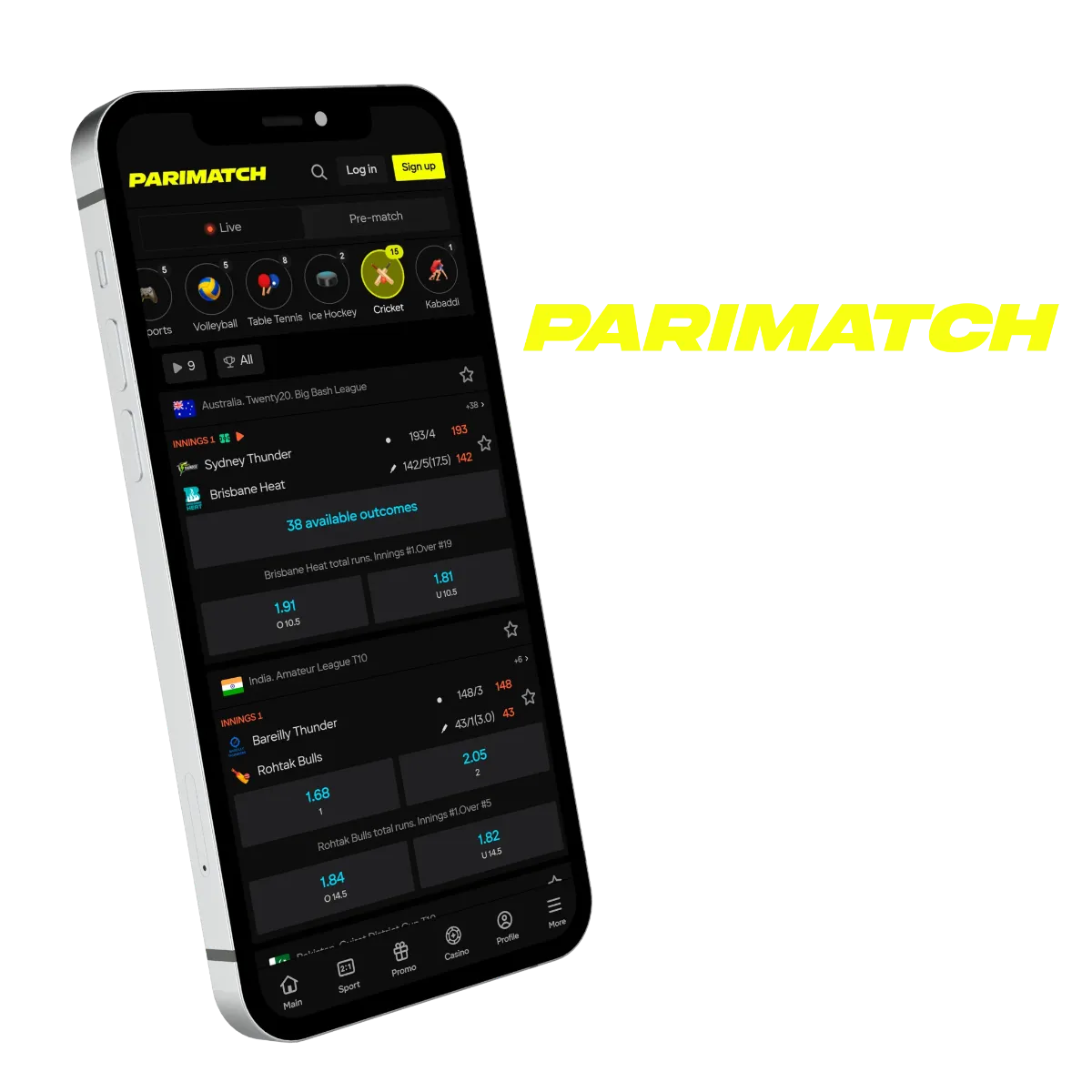
Eligible non-Ontario players can use the mobile-optimized HTML5 website through Safari. This is often the safest iOS route because you avoid installing unsigned or suspicious software.
Is Parimatch App on iOS?
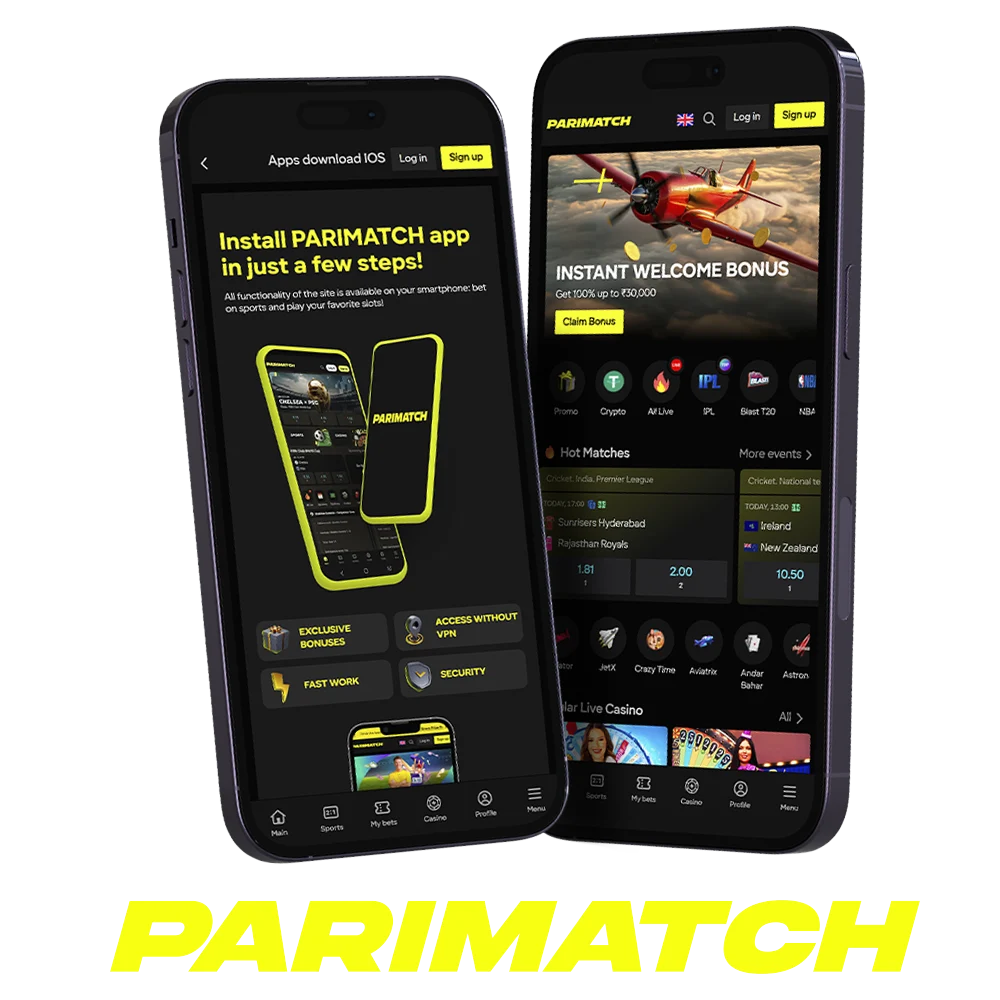
No. Parimatch does not currently offer a native iOS app in the Canadian Apple App Store.
Any website claiming to provide an “iOS download file” for Parimatch Canada should be treated as suspicious. iPhones do not install casino apps the same way Android devices install APK files. If a page pushes you toward configuration profiles, unknown enterprise certificates, or unusual iOS installation steps, close it.
For iPhone users, the safest option is Safari browser access through the official Parimatch site.
How to Add Parimatch to iOS Home Screen
Instead of installing a native app, iOS users can create a Progressive Web App-style shortcut through Safari.
A Home Screen shortcut gives you an app-like experience without downloading software from outside Apple’s App Store. It opens the Parimatch mobile site quickly, keeps the casino accessible from your Home Screen, and avoids risky third-party installation files.
Here is how to set it up:
Open Safari
Go to the official Parimatch website on your iPhone.
Tap the Share button
It is the square icon with an arrow pointing up at the bottom of the screen.
Scroll down
Find and tap “Add to Home Screen.”
Confirm the name
Name the shortcut “Parimatch.”
Tap Add
The Parimatch icon will appear on your iOS Home Screen.
Launch from Home Screen
Use that icon for faster access going forward.
Is the iOS Browser Version Worse Than an App?
Not really.
Modern HTML5 casino platforms are built for mobile-first play. For most players, the Parimatch mobile browser experience gives access to the same core features as the desktop site.
You can usually access:
- account registration;
- login;
- casino lobby;
- slots;
- live casino;
- blackjack;
- roulette;
- poker;
- crash games;
- deposits;
- withdrawals;
- KYC upload;
- responsible gambling settings.
The main limitation is convenience. A native Android app may feel smoother, but Safari access is safer for iOS users because it avoids unofficial installation routes.
Parimatch Mobile Features vs Desktop
The mobile browser and Android app offer the same core functionality as the desktop site. The interface is dark, compact, and built around touch controls.
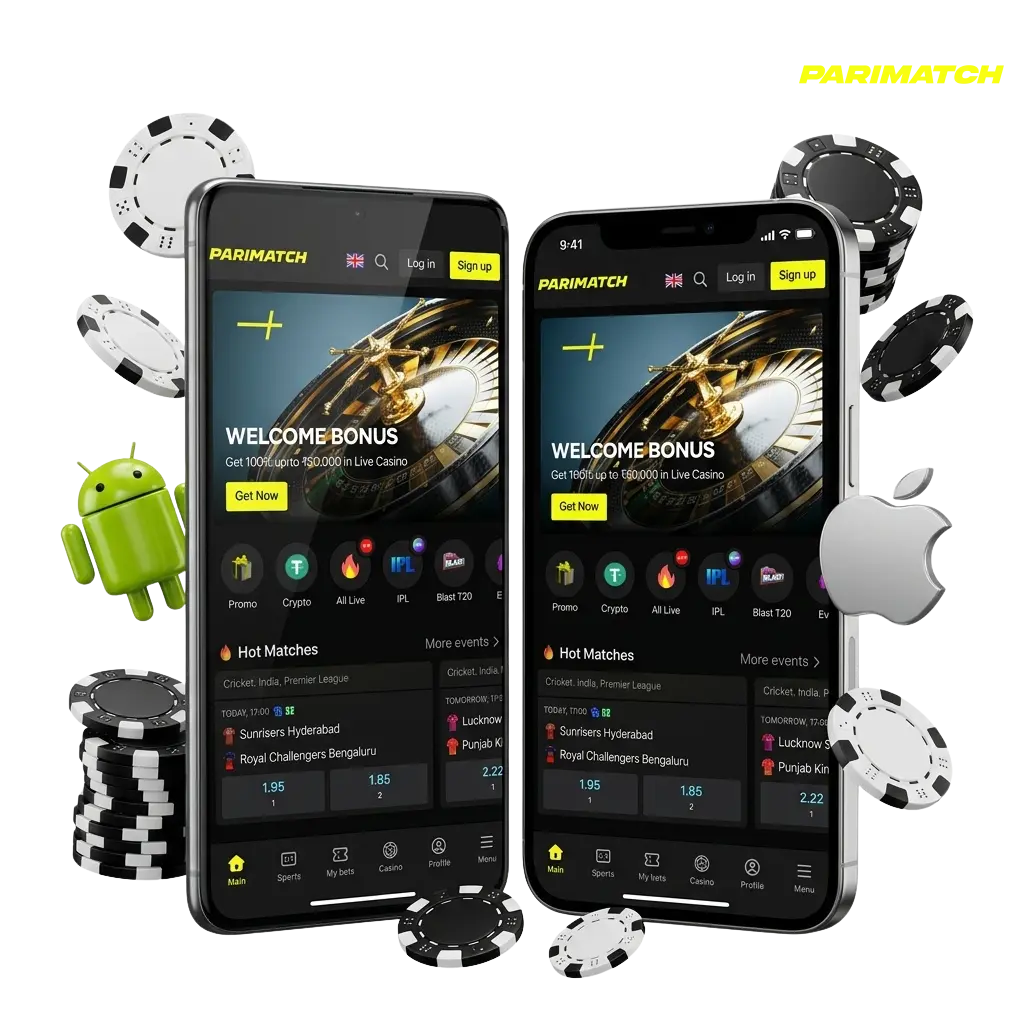
The mobile lobby is designed for quick navigation. You can search games, open categories, manage your balance, access promotions, and launch live dealer tables directly from your phone.
Because modern B2B casino providers optimize for mobile first, the casino games generally run well on smartphones. Pragmatic Play mobile slots use HTML5 technology to support cross-device compatibility, so graphics should not stretch or distort on normal screen sizes.
Evolution Gaming powers many live casino tables, including HD streams for blackjack and roulette. The streams adapt to portrait or landscape mode depending on the game and device orientation.
Does Parimatch Have an Aviator App?
No. There is no separate Parimatch Aviator app.
Aviator and other crash games are built directly into the main Parimatch mobile casino and HTML5 site. They load inside the casino lobby and are optimized for touch controls.
Be careful here. Fake “Aviator APK” pages are common. If a third-party site tells you to download a separate Aviator app to play through Parimatch, treat that as a red flag.
Can I Play Live Dealer Games on Parimatch Mobile?
Yes. Eligible players can access live dealer games on Parimatch mobile.
The experience depends on your phone, internet connection, and screen size. Live dealer games use video streaming, so they require a stable connection. If your signal drops during a hand or spin, the result still follows the game server outcome, not what your screen happened to show at that second.
For the best mobile live casino experience:
- use a stable private Wi-Fi or strong mobile data connection;
- keep your battery charged;
- avoid public Wi-Fi for real-money play;
- close unused apps before streaming;
- switch to landscape mode if the table layout feels cramped;
- do not play live dealer games while distracted.
Are Mobile Slots Different From Desktop Slots?
No. Mobile slots use the same game math as desktop versions when they are the same title from the same provider.
The layout may change for smaller screens, but the core mechanics remain the same:
- RTP;
- volatility;
- paylines or ways-to-win;
- bonus features;
- jackpot mechanics;
- RNG output.
Do not assume mobile slots are “hotter” or “looser” because you are playing on a phone. That is a myth. The math is the math.
Mobile Banking: Deposits & Withdrawals
You do not need a computer to manage your bankroll. The mobile cashier supports Canadian Dollars (CAD) and uses the same payments infrastructure as the desktop version.
| Mobile Payment Method | Type | Min Deposit | Mobile Withdrawal Time |
|---|---|---|---|
| Interac e-Transfer | Bank Network | $10 CAD | 1 - 3 Days |
| Visa / Mastercard | Credit/Debit | $10 CAD | 3 - 5 Days |
| Bitcoin / USDT | Cryptocurrency | Varies | Under 24 Hours |
| MuchBetter | e-Wallet | $10 CAD | 1 - 2 Days |
Mobile banking is convenient, but convenience can also make players careless. Always confirm that your payment method is in your own legal name and matches the details on your Parimatch account.
Can I Deposit With Interac on the Parimatch App?
Yes. Interac e-Transfer is a secure Canadian interbank network widely used for mobile casino deposits.
You can initiate an Interac deposit directly through the Parimatch mobile cashier. The cashier may redirect you to your Canadian mobile banking app or bank login flow to approve the transaction.
Before depositing, check:
- whether Interac is visible in your cashier;
- whether your province is eligible;
- whether your bank allows gambling-related transfers;
- whether withdrawals are supported through the same route;
- whether your name matches your Parimatch account;
- whether the deposit triggers a bonus automatically.
What Is the Minimum Deposit on Parimatch Mobile?
The minimum deposit on Parimatch mobile is usually around $10 CAD for most traditional fiat methods, including Interac and cards.
Crypto minimums can vary because network fees and asset rules fluctuate. Always check the cashier before sending funds, especially with Bitcoin, USDT, or other crypto options.
Do not send crypto to an old address from a previous session unless the cashier confirms it is still valid.
Can You Withdraw Money From the Parimatch App?
Yes. You can request withdrawals directly from the Parimatch mobile app or mobile browser.
The process usually looks like this:
- Tap your profile or balance icon.
- Open the cashier.
- Select withdrawals.
- Choose your available withdrawal method.
- Enter the amount.
- Complete any required KYC prompts.
- Submit the request.
- Wait for casino approval and payment processing.
If this is your first withdrawal, expect verification. You may need to upload photos of your ID, proof of address, and payment method using your phone camera.
Make sure your photos are clear before submitting them. Blurry ID uploads are one of the easiest ways to slow down a payout.
Why Is My Mobile Withdrawal Pending?
A mobile withdrawal is not automatically faster just because you requested it from your phone.
Your withdrawal can still be delayed by:
- incomplete KYC;
- blurry document uploads;
- payment method mismatch;
- active bonus wagering;
- manual AML review;
- card withdrawal limitations;
- crypto address checks;
- VPN or location conflicts;
- Ontario-related geoblocking issues.
Mobile access makes the request easier. It does not remove the casino’s compliance process.
Trust & Safety on Mobile
When you carry a casino in your pocket, safety must mean two things:
- digital safety;
- bankroll safety.
From a technical standpoint, the Parimatch mobile site uses encrypted connections to protect user data in transit. Modern smartphones also offer biometric authentication such as Face ID, Touch ID, and fingerprint unlock, which can help secure your device.
But do not confuse phone security with gambling control.
A secure phone can still be used to chase losses at 2 a.m.
Is Parimatch Casino Legit?
Parimatch is a legitimate international gambling brand with a Curaçao licence. However, Canadian players must remember that Parimatch is an offshore grey-market casino, not a domestically regulated provincial operator.
That means your safety depends on:
- using the official site;
- avoiding fake APK files;
- verifying your account correctly;
- following location rules;
- reading bonus terms;
- using responsible gambling tools;
- protecting your payment information.
Parimatch may be legitimate, but offshore legitimacy is not the same as local Canadian regulatory protection.
What Happens If I Use a VPN for Parimatch in Ontario?
Do not try to hide your location using a mobile VPN app if you are in Ontario.
Using a VPN to bypass Ontario’s geofencing can violate Parimatch terms and create serious KYC problems. Even if the app opens, your documents, banking details, phone number, IP history, and payment patterns can still expose the mismatch.
When Parimatch asks for ID during withdrawal, an Ontario address can trigger account review, withdrawal delays, or account suspension.
⚠ Ryan's Warning
A VPN does not make you eligible. It just moves the problem from sign-up to withdrawal.
How to Protect Your Phone Before Installing Any Casino App
Before installing any mobile casino software, protect the device first.
Use this checklist:
- ✓ update Android or iOS;
- ✓ install security patches;
- ✓ use a strong screen lock;
- ✓ enable Face ID, Touch ID, or fingerprint unlock;
- ✓ use a unique password for your casino account;
- ✓ enable 2FA if available;
- ✓ avoid public Wi-Fi for deposits and withdrawals;
- ✓ never download APKs from third-party sites;
- ✓ never send ID documents through Telegram or social media;
- ✓ remove old APK files after installation;
- ✓ monitor your bank app after mobile deposits.
Your phone is not just a gaming device. It is your banking device, ID wallet, email account, and crypto access point. Treat it that way.
Protect Your Mobile Bankroll
Mobile accessibility makes it dangerously easy to chase losses.
You can deposit from the couch. You can reload from bed. You can open a slot while angry, tired, drunk, or tilted. That is exactly why mobile gambling requires stricter discipline than desktop gambling.
The minimum legal gambling age is 19+ in most Canadian provinces and territories. The minimum age is generally 18+ in Alberta, Manitoba, and Quebec.
If you find yourself logging into the app to gamble money you cannot afford to lose, use responsible gambling settings immediately.
Use tools such as:
- deposit limits;
- loss limits;
- session reminders;
- cool-off periods;
- self-exclusion;
- account closure.
If you need help, reach out:
- ConnexOntario provides a 24/7 helpline at
1-866-531-2600. - The Responsible Gambling Council offers resources for Canadians managing gambling habits.
-
Canada’s suicide and crisis hotline is available nationwide by calling
or texting
988.
Play the math, protect your data, and always know when to close the app.
Final Verdict: Should You Use Parimatch Mobile in Canada?
Parimatch mobile is a strong option for eligible Canadian players outside Ontario who want casino access from Android or iOS.
The Android APK route works, but only if you download from the official Parimatch website. The iOS route is cleaner through Safari and the Home Screen shortcut because it avoids risky installation files entirely.
The mobile casino itself gives access to the same core features as desktop:
- casino lobby;
- mobile slots;
- live dealer tables;
- blackjack;
- roulette;
- poker;
- crash games;
- cashier;
- KYC uploads;
- promotions;
- responsible gambling tools.
The risk is not just whether the app works. The real risk is downloading the wrong file, playing from a restricted province, skipping KYC, or treating mobile access like unlimited bankroll access.
Parimatch Mobile Pros
- ✓ Android APK available through the official source.
- ✓ iOS users can use Safari and Home Screen shortcut.
- ✓ Mobile casino supports slots, live casino, blackjack, roulette, poker, and crash games.
- ✓ CAD cashier access with Interac where available.
- ✓ Mobile KYC upload through phone camera.
- ✓ Responsive HTML5 gameplay.
- ✓ Strong option for eligible players outside Ontario.
Parimatch Mobile Cons
- ✗ No official Canadian Google Play listing.
- ✗ No native iOS app in the Canadian Apple App Store.
- ✗ APK installation requires extra security caution.
- ✗ Third-party download sites are dangerous.
- ✗ Ontario players are blocked.
- ✗ VPN use can trigger account and withdrawal problems.
- ✗ Mobile access can make impulsive gambling easier.
Who Should Use Parimatch Mobile?
Parimatch mobile may fit you if:
- you are outside Ontario;
- you are of legal gambling age;
- you download only from official sources;
- you can pass KYC;
- you use payment methods in your own name;
- you understand bonus and withdrawal rules;
- you can control mobile gambling sessions.
Who Should Avoid Parimatch Mobile?
Avoid Parimatch mobile if:
- you are in Ontario;
- you plan to use a VPN;
- you cannot verify your identity;
- you are tempted by third-party APK sites;
- you gamble impulsively on your phone;
- you are using money needed for bills, rent, food, debt, or family expenses.
If you use Parimatch mobile, use it like a financial app, not a toy. Download carefully, verify early, protect your device, and close the app before the bankroll stops being entertainment.
Ready to Play Mobile?
FAQ
Is there a Parimatch app in Canada?
Why is the Parimatch app not in the Play Store?
Is Parimatch APK safe to install?
Can I play Parimatch in Ontario on mobile?
Can I use a VPN for Parimatch mobile in Ontario?
Is Parimatch available on iPhone?
How do I add Parimatch to my iPhone Home Screen?
Can I deposit with Interac on the Parimatch app?
What is the minimum deposit on Parimatch mobile?
Can I withdraw money from the Parimatch app?
Does Parimatch have an Aviator app?
Is the Parimatch mobile site the same as desktop?
19+ | Responsible Gambling
Gambling is entertainment, not income. If the fun stops, or you are chasing losses with money you need for rent or groceries — stop. Help is available.